Share
Using CSS to Customize the Look-and-Feel of Your Website
If you’ve been following the development of HTML over the past 15 years, then you’re probably aware that the wizards the World Wide Web Consort...
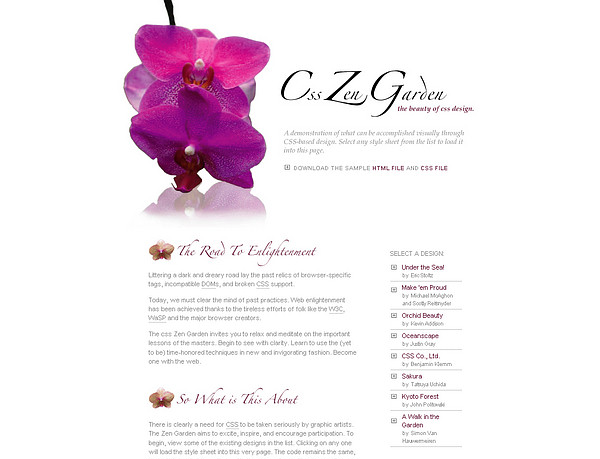
If you’ve been following the development of HTML over the past 15 years, then you’re probably aware that the wizards the World Wide Web Consortium have been trying to separate “content” from “display.” The CSS Zen Garden is the most widely known example site to illustrate how you go from this:
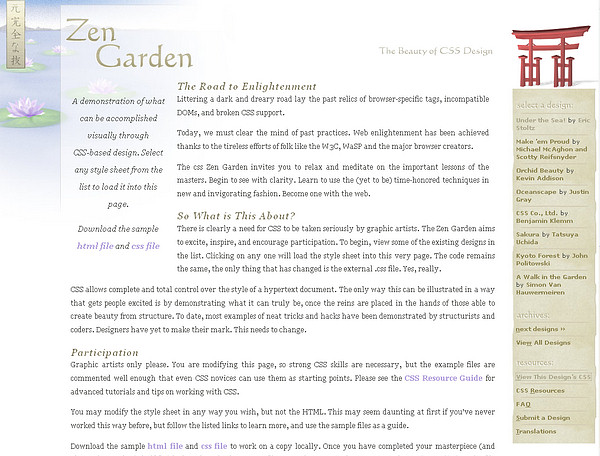
to this without changing any HTML code — only the CSS file.
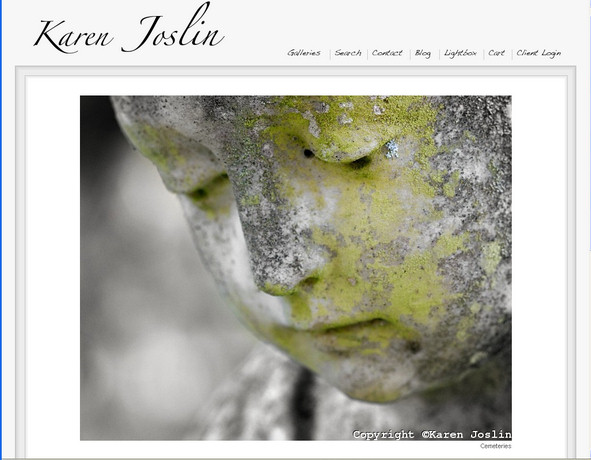
In our webinar on manual customization, we talk about tools like the Firebug Add-on for Firefox which helps web developers understand the structure of a page and how to use CSS to modify it. PhotoShelter user, Karen Joslin, took the information to heart and figured out how to change our Scribble style and make it her own with a custom border and logo.
Follow Karen’s tutorial to learn how to maximize your website design.
Next Post: July’s PhotoShelter Stimulus Plan Recipients
Previous Post: Hey Mom! I’m a PhotoShelter Featured Photographer for July!
You May Also Like
-
Expert Advice and Top Tips from Pro Photographers for 2024
What’s one piece of advice you would give to aspiring or up-and-coming photographers? We asked nine experienced photographers and PhotoShelter members to share their top tips for those looking to get ahead in their photography careers. From finding your own visual voice to working with a mentor or photo assistant, each piece of advice listed […]
-

What’s On Your Photography Holiday Wish List?
The holiday season is around the corner and that means it’s the perfect opportunity to upgrade your gear or find that special gift for the visual storyteller or photography enthusiast in your life. We reached out to a handful of renowned photographers and PhotoShelter members, each with their unique styles and preferences, to bring you […]
-
Share a Photo That Means the World to You
We all have a photo that means the world to us. Maybe it’s one we made ourselves – the first photo from our first camera. It could be an old family photo in a beloved photo album. Or maybe it’s an iconic image that hangs on our wall at home. With World Photography Day coming […]