Share
Fun Times With The Photo Wall
It didn’t take long for PhotoShelter members to start digging into the new photographer website features we announced last week. The “photo wal...
It didn’t take long for PhotoShelter members to start digging into the new photographer website features we announced last week. The “photo wall” feature is proving to be extremely popular, and hundreds of photographers started using it within 24 hours of its availability.
Myself included. I had a lot of fun trying the various templates and the variety of combination within each, and settled on “Maui – Funhouse.”
I thought it would be fun to show off some of these “early adopters”, and include their recipe — that is, the settings they’re using to achieve their particular look.
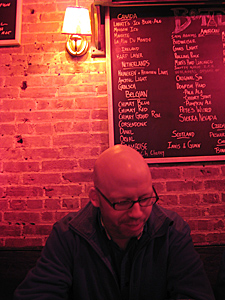
Theme: Maui
Style: Funhouse
Aspect: Square
Padding Between Thumbs: 5 pixels
Rounded Corners: 5 pixel radius
Half-size thumbnails: Don’t use
Show Gallery Name: Yes
Watermark larger images: No
This particular batch of examples (including mine, above) are using 100% PhotoShelter website templates, without any special code modifications. In other words, no coding knowledge was needed.
This week on the blog I will be showing off some more advanced uses of the Photo Wall: by people who are using it in their own designs using manual mode; people who are using it with Graph Paper Press WordPress themes; and people who are using a PhotoShelter template with some modifications to the CSS coding.

Theme: Southpaw
Style: Ink
Aspect: Natural
Padding Between Thumbs: 5 pixels
Rounded Corners: 5 pixel radius
Half-size thumbnails: Don’t use
Show Gallery Name: Only on hover
Watermark larger images: No

Theme: Induro
Style: Default
Aspect: Natural
Padding Between Thumbs: 3 pixels
Rounded Corners: 5 pixel radius
Half-size thumbnails: Use for small feature/less recent galleries
Show Gallery Name: Only on hover
Watermark larger images: No

Theme: Maui
Style: Glow
Aspect: Natural
Padding Between Thumbs: 1 pixel
Rounded Corners: Don’t round
Half-size thumbnails: Don’t use
Show Gallery Name: Only on hover
Watermark larger images: No
DELANE ROUSE/DC CORPORATE HEADSHOTS

Theme: Farah
Style: Default
Aspect: Square
Padding Between Thumbs: 3 pixels
Rounded Corners: 8 pixel radius
Half-size thumbnails: Use for small feature/less recent galleries
Show Gallery Name: Only on hover
Watermark larger images: No

Theme: Maui
Style: Default
Aspect: Natural
Padding Between Thumbs: 3 pixels
Rounded Corners: 5 pixel radius
Half-size thumbnails: Don’t use
Show Gallery Name: Only on hover
Watermark larger images: No
Previous Post: Magnum Expression Award: 20 Finalists Announced
You May Also Like
-
Expert Advice and Top Tips from Pro Photographers for 2024
What’s one piece of advice you would give to aspiring or up-and-coming photographers? We asked nine experienced photographers and PhotoShelter members to share their top tips for those looking to get ahead in their photography careers. From finding your own visual voice to working with a mentor or photo assistant, each piece of advice listed […]
-
What’s On Your Photography Holiday Wish List?
The holiday season is around the corner and that means it’s the perfect opportunity to upgrade your gear or find that special gift for the visual storyteller or photography enthusiast in your life. We reached out to a handful of renowned photographers and PhotoShelter members, each with their unique styles and preferences, to bring you […]
-
Share a Photo That Means the World to You
We all have a photo that means the world to us. Maybe it’s one we made ourselves – the first photo from our first camera. It could be an old family photo in a beloved photo album. Or maybe it’s an iconic image that hangs on our wall at home. With World Photography Day coming […]