Share
Google +1 Button Added to PhotoShelter Websites
You asked for it, and now it’s finally here – the Google +1 button on your PhotoShelter website! We’re very excited to offer this hot new soc...
You asked for it, and now it’s finally here – the Google +1 button on your PhotoShelter website! We’re very excited to offer this hot new social sharing tool. Check out how it looks on PhotoShelter member Shane Srogi‘s website below.
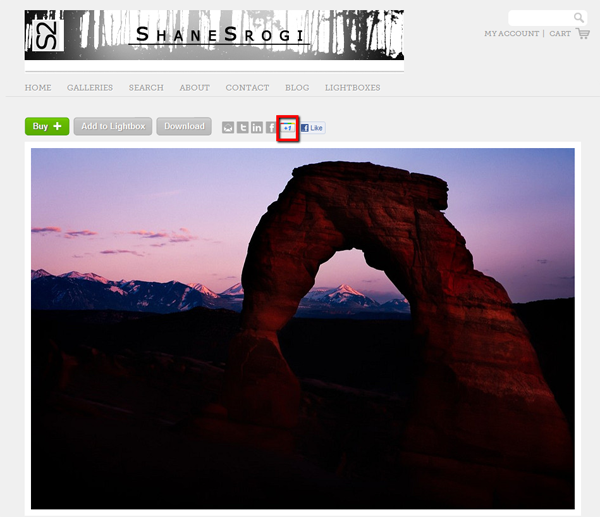
Shane Srogi’s PhotoShelter Website
The +1 button, in Google’s words, is a way to give your “public stamp of approval”. Meaning that the next time your friends or contacts search for something on Google, they could see your +1 in results. It’s a way for you to endorse a website, image, blog post, or anything else that has the +1 social sharing feature.
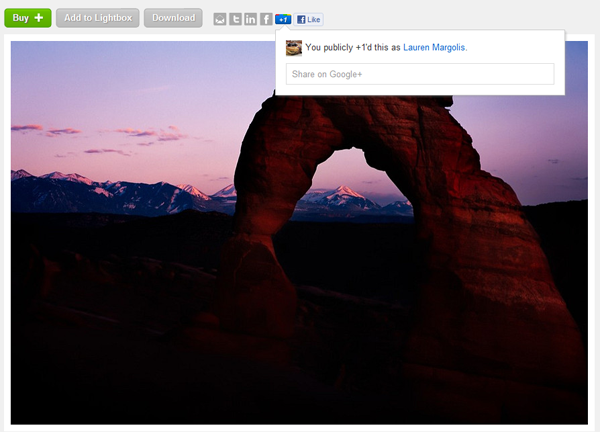
Google is rapidly moving to incorporate “socialness” into its algorithm so that your search results are influenced by your friends’ recommendations. You can already see the impact if you search while logged into your Google account.
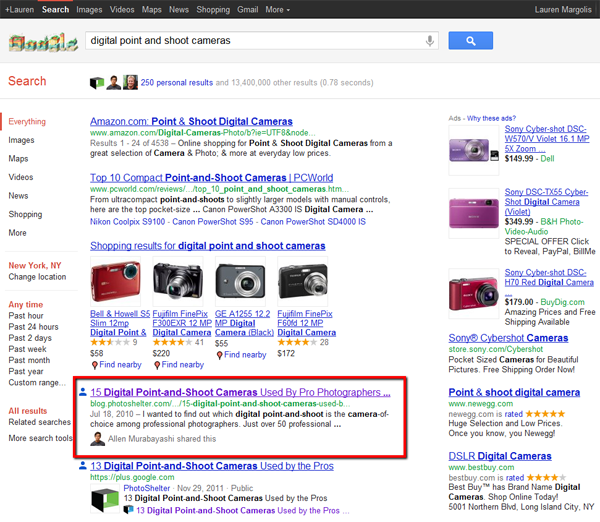
For example, my search for “digital point and shoot cameras” yields the PhotoShelter blog post, “15 Digital Point-and-Shoot Cameras Used By Pro Photographers“, which was shared by Allen – who I’m connected to on Google+.
Once you’ve +1’d something, you can see a running list in your Google+ profile.
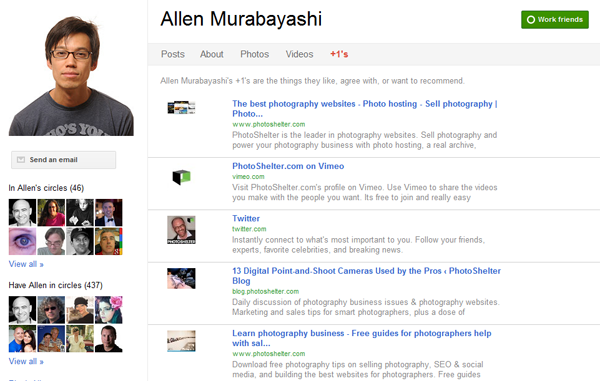
Because Allen has made his +1 list public, I can see everything that he has ever +1’d.
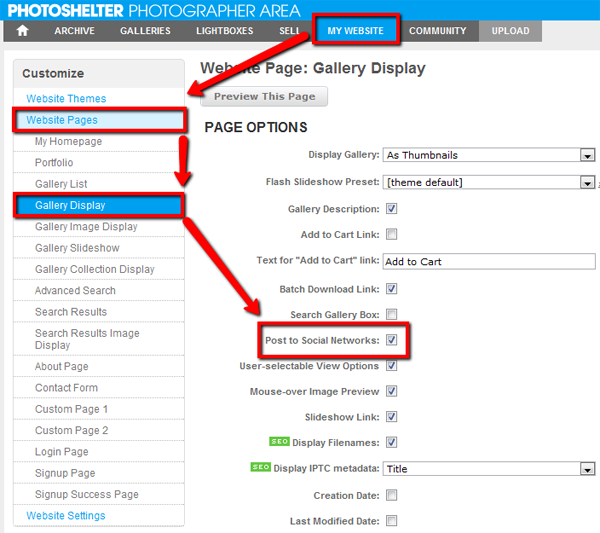
Did we mention that adding the +1 button to your PhotoShelter website is really easy? Simply log into your PhotoShelter account, and navigate to:
- My Website, then
- Website Pages, then
- Gallery Display
- Here you’ll see several check-boxes, one of which says “Post to Social Networks”. If you choose to check this box, then all social sharing buttons will appear on your PhotoShelter website (Email to a friend, Twitter, LinkedIn, Facebook, and now Google+)
Keep in mind that the +1 button differs from the other social sharing tools on your PhotoShelter site in that it’s purely an endorsement. This means that clicking the +1 button on your website doesn’t share your images with Google – it simply shows that you endorse it, and the link will appear in your Google+ profile’s +1 list (which remains private to you until you select to publicly share it with your network).
Want to know more about Google+ and how you can use it to market your photography business? Be on the lookout for The Photographer’s Social Media Handbook, due out in January. In the meantime, get the latest news by adding the PhotoShelter Google+ Page to your circles today.
Previous Post: 5 Tips On How To Shoot Killer Portrait Photography
You May Also Like
-
Expert Advice and Top Tips from Pro Photographers for 2024
What’s one piece of advice you would give to aspiring or up-and-coming photographers? We asked nine experienced photographers and PhotoShelter members to share their top tips for those looking to get ahead in their photography careers. From finding your own visual voice to working with a mentor or photo assistant, each piece of advice listed […]
-
What’s On Your Photography Holiday Wish List?
The holiday season is around the corner and that means it’s the perfect opportunity to upgrade your gear or find that special gift for the visual storyteller or photography enthusiast in your life. We reached out to a handful of renowned photographers and PhotoShelter members, each with their unique styles and preferences, to bring you […]
-
Share a Photo That Means the World to You
We all have a photo that means the world to us. Maybe it’s one we made ourselves – the first photo from our first camera. It could be an old family photo in a beloved photo album. Or maybe it’s an iconic image that hangs on our wall at home. With World Photography Day coming […]