Share
PhotoShelter Super FTP & Embeddable Galleries
PDN’s Daryl Lang did a little piece on our new FTP & Embeddable Galleries features: And I’m happy to report that the Super FTP option is no...
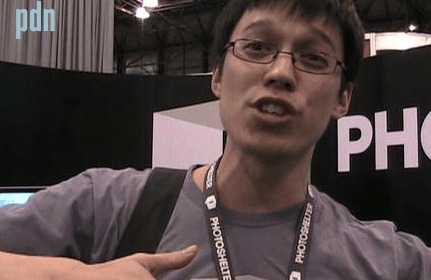
PDN’s Daryl Lang did a little piece on our new FTP & Embeddable Galleries features:
And I’m happy to report that the Super FTP option is now available to all Standard and Pro account holders. Here’s a brief video on how it works:
Here are a few potential use cases for this feature:
Uploading to your own account via FTP:
The standard upload mechanisms for PhotoShelter (e.g. Upload through the web, Photo Mechanic, Aperture, Lightroom, etc) upload and process the image in real time. We do this, in part, so that you can see any errors with the files as they go up. The downside to this mechanism is that it adds a few seconds to each image as you are uploading.
The FTP option, by contrast, stores all the images on an FTP server, and as the images are processed, they are systematically removed from your FTP and added into your archive. So for large transfers, this should be a faster way to move images up to your server.
This is also the mechanism that many Digital Railroad customers are using to migrate their archives to PhotoShelter.
Working with a retoucher
The PhotoShelter inbound FTP works differently than most systems in that we’ve decoupled it from your normal PhotoShelter login/password for security reasons. A by-product of this separation is that you can set up multiple users who have FTP access into your account. You determine who they are, which folder they can upload into, and when their access is cut off.
If you send a 20MB file to a retoucher, you can set him/her up with FTP access to a “retoucher” folder. They might send you a 200MB file back. This is a very easy and direct way to work. After you’ve received the file, deactivate their account until you need them again.
Working remotely with an art director
By setting up FTP directly into a gallery, you can work with a remote team. If you shoot tethered or with a WiFi transmitter, you can have the images FTPd into a gallery. The gallery could be password protected and you could set-up high-resolution download capability with your art director ahead of time. As the shoot progresses, the art director could be viewing the take remotely, and then pull down high-resolution files of only the images they are interested in. If you grant permission to a retoucher simultaneously, the entire team could be working together in real-time, and eliminating a lot of the transfer issues that have plagued creative teams in the past.
Shooting a Wedding or Event
I’ve talked to a number of wedding shooters who have started bringing LCD screens with them to the event to show images. But more often than not, they have a digital assistant who is ingests cards manually, does a quick edit, imports into a photo application and then displays them on the screen. We like the idea of going straight from the camera into a gallery in your archive. This eliminates the need to upload later, and gives you e-commerce capability from the moment that the images are first viewed.
The ability for an individual to effectively work as their own wire service is a compelling advantage in the information age.
How will you use the Super FTP? Let us know.
Next Post: PhotoPlus Expo Day 2
Previous Post: The End of Digital Railroad(?) and What This Means to You
You May Also Like
-
Expert Advice and Top Tips from Pro Photographers for 2024
What’s one piece of advice you would give to aspiring or up-and-coming photographers? We asked nine experienced photographers and PhotoShelter members to share their top tips for those looking to get ahead in their photography careers. From finding your own visual voice to working with a mentor or photo assistant, each piece of advice listed […]
-
What’s On Your Photography Holiday Wish List?
The holiday season is around the corner and that means it’s the perfect opportunity to upgrade your gear or find that special gift for the visual storyteller or photography enthusiast in your life. We reached out to a handful of renowned photographers and PhotoShelter members, each with their unique styles and preferences, to bring you […]
-
Share a Photo That Means the World to You
We all have a photo that means the world to us. Maybe it’s one we made ourselves – the first photo from our first camera. It could be an old family photo in a beloved photo album. Or maybe it’s an iconic image that hangs on our wall at home. With World Photography Day coming […]